
Hotels, tours, activities, rentals and cars. One theme, one cart.
Voyara is a WordPress and WooCommerce theme for travel agencies and booking sites. Guests book a stay, a tour, things to do and a car, then pay once at checkout.
- Hotels
- Tours
- Activities
- Rentals
- Cars


- homepages
- 13
- inner pages
- 33
- booking modules
- 5
- Elementor widgets
- 114
- Trip builder
- One cart
- Price calendar
- Hotel compare
- Tour departures
- Waitlist
- Guest dashboard
- Partner dashboard
- Voyara Console
- iCal sync
- Theme Builder
- Setup wizard
13 homepages, two for every module
Start from a site that sells everything, or from one module: hotels, tours, activities, rentals or cars. The demo importer brings in all 13 homepages with the demo content in one go.
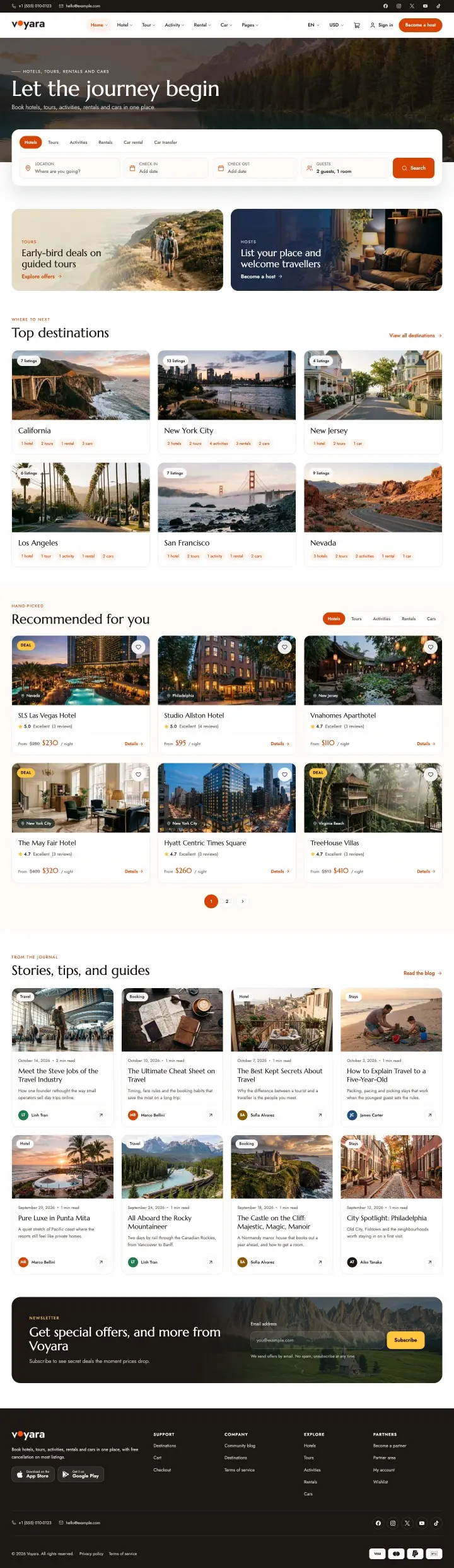 Main homeHome 1One search for every module, top destinations, picks for you and travel stories.Live preview
 Main home 2Home 2The trip builder, weekly deals, destinations across every module and a partner sign-up.Live preview
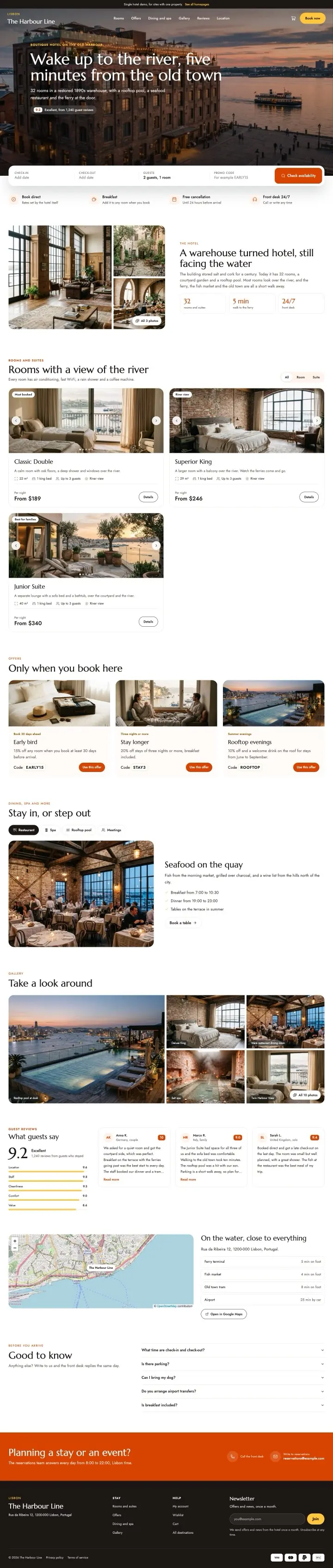 Single hotelHome 3A site for one hotel: rooms, perks for booking direct, a gallery, reviews and the location.Live preview
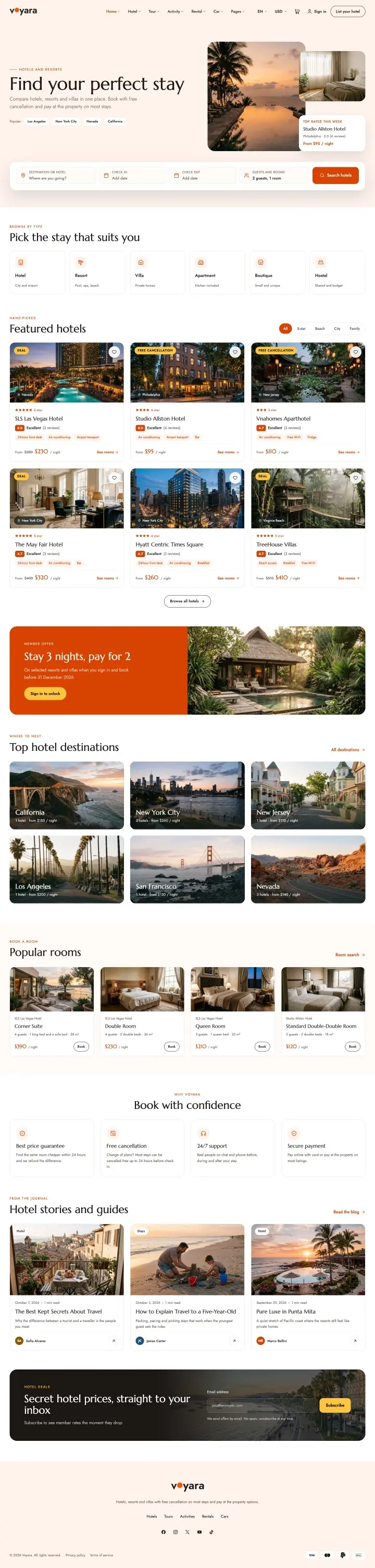 Hotel homeHome 4Hotel search, featured hotels, a stay 3 pay 2 offer, popular rooms and hotel guides.Live preview
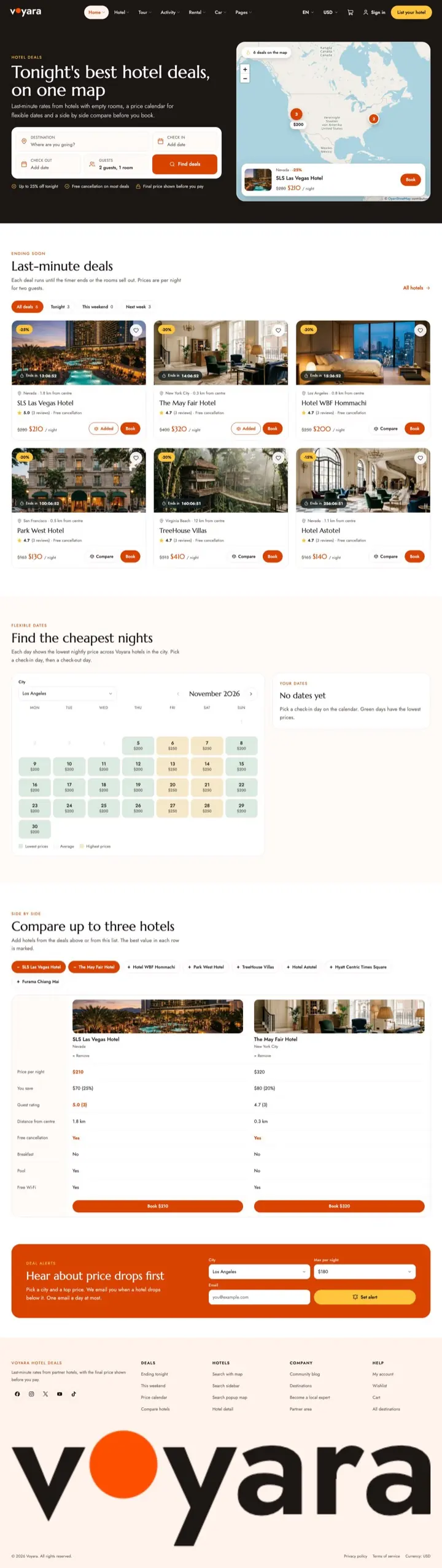 Hotel dealsHome 5Last-minute deals on a map, the price calendar and a side-by-side hotel compare.Live preview
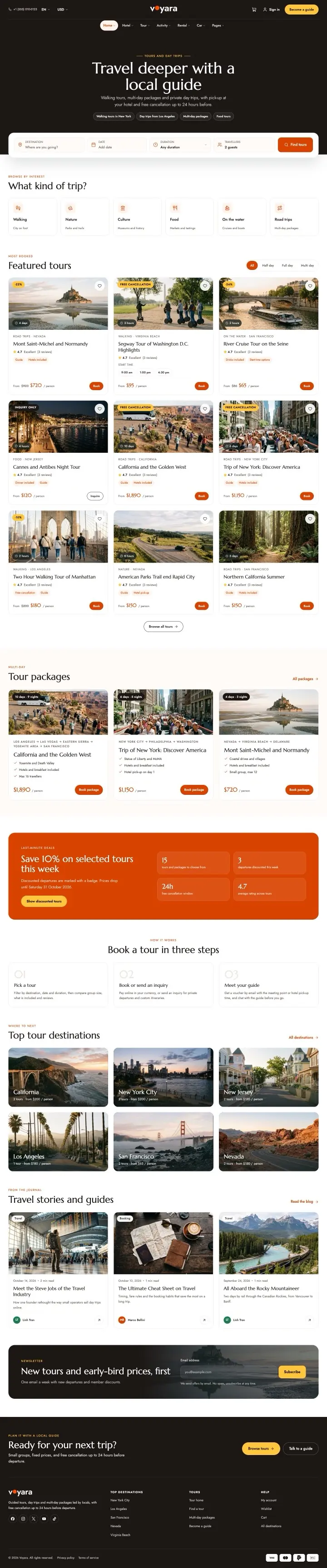 Tour homeHome 6Tours by trip style, tour packages, a weekly saving and booking in three steps.Live preview
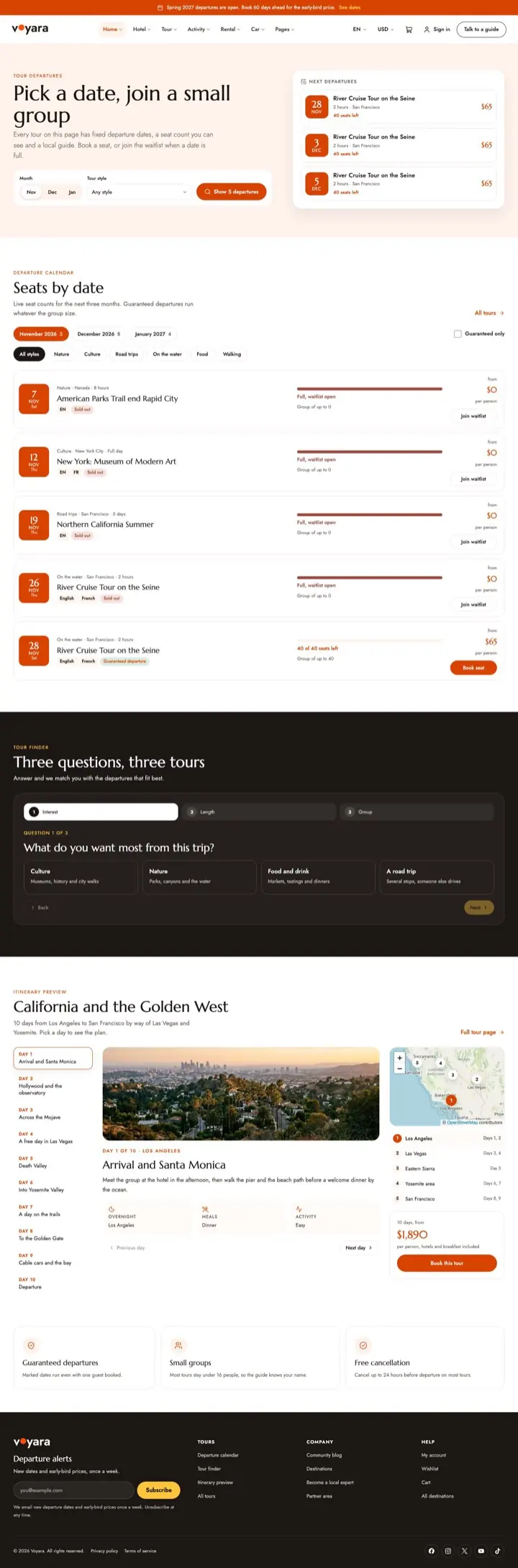 Tour departuresHome 7Fixed departure dates with the seats left, a three-question tour finder and alerts.Live preview
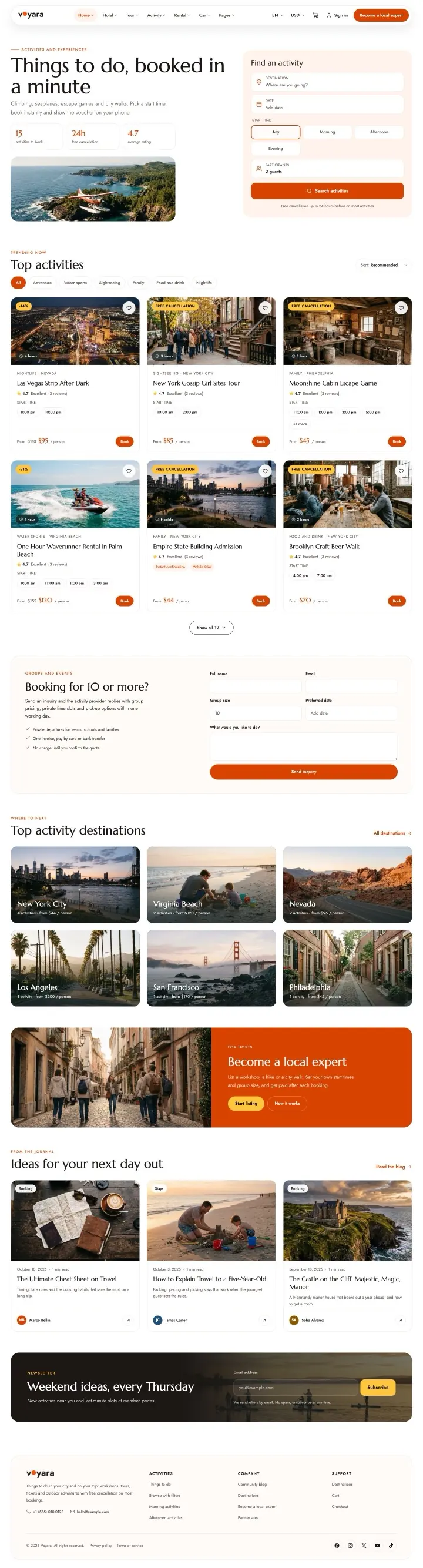 Activity homeHome 8Activity search, top activities, group bookings and a sign-up for local experts.Live preview
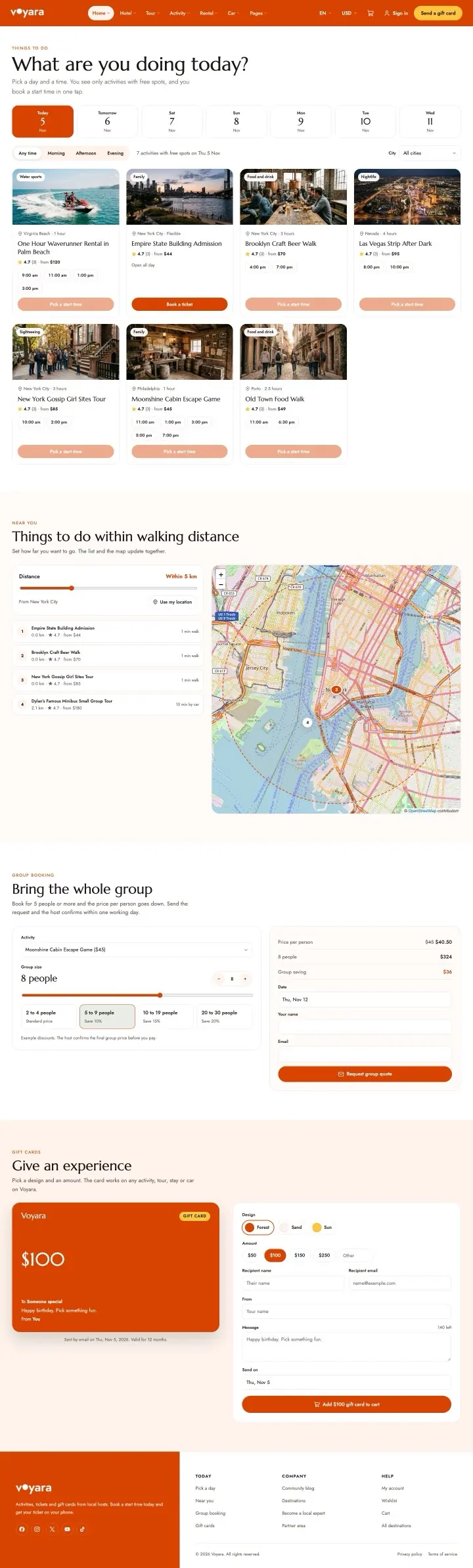 Things to do todayHome 9Ideas for today within walking distance, group bookings and gift experiences.Live preview
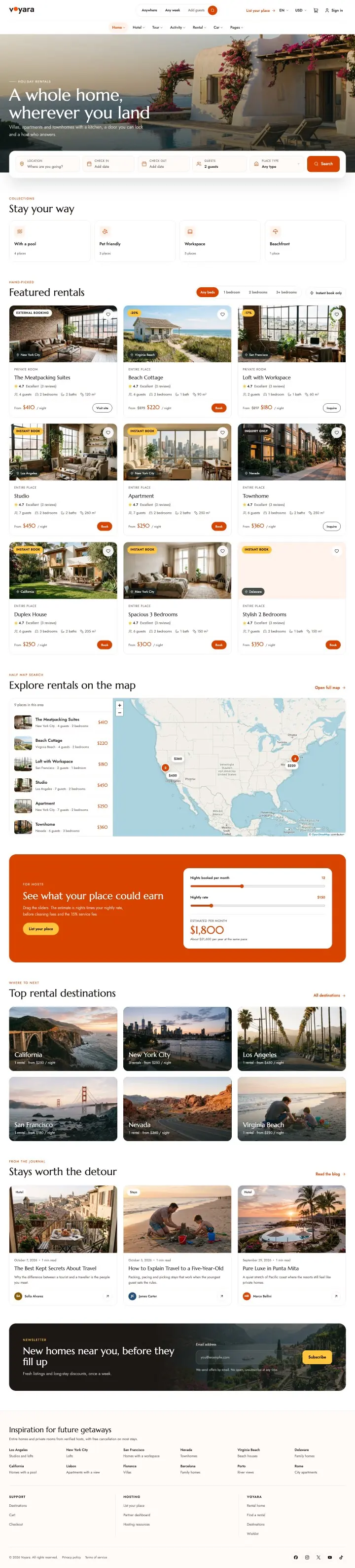 Rental homeHome 10Rentals on a map, featured homes, an earnings estimate for hosts and top destinations.Live preview
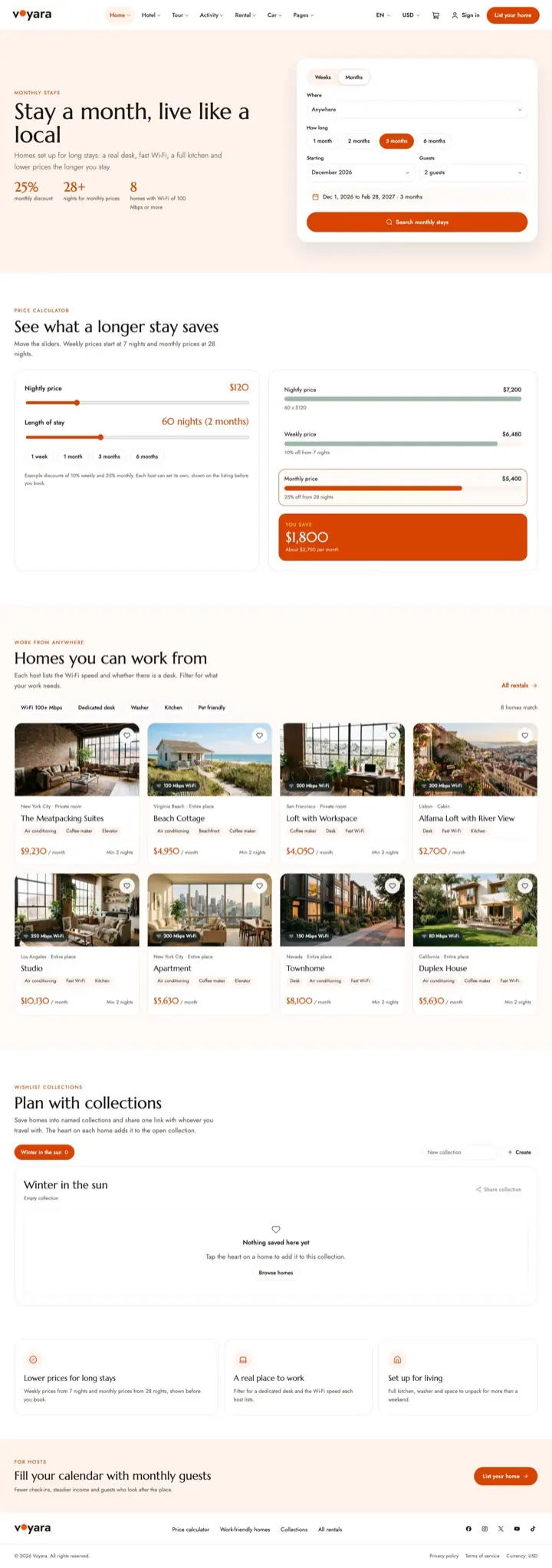 Monthly staysHome 11What a longer stay saves, homes you can work from and collections for planning.Live preview
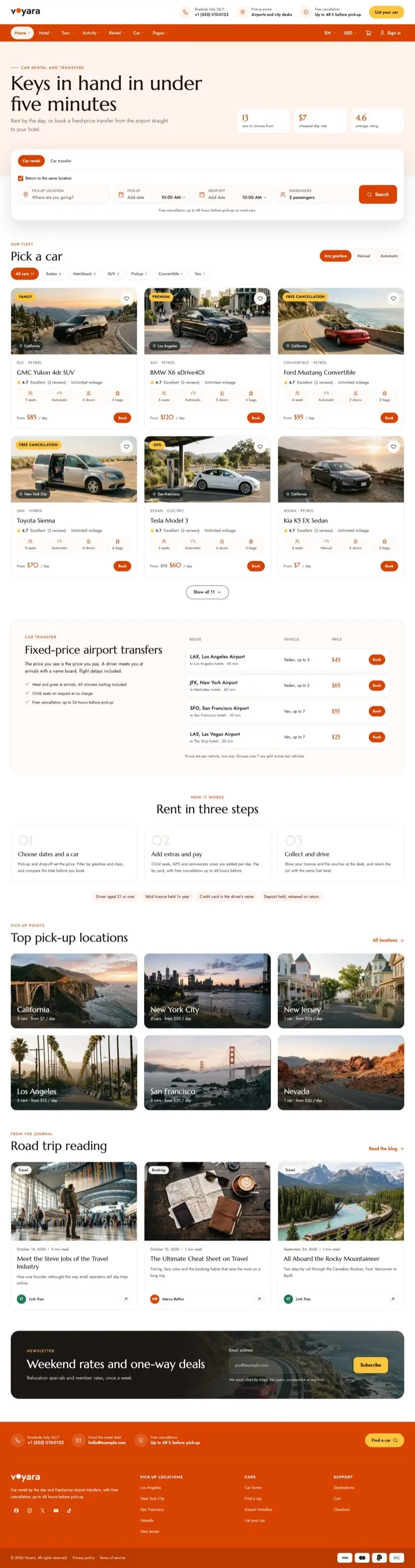 Car homeHome 12Car search, fixed-price airport transfers, renting in three steps and pick-up points.Live preview
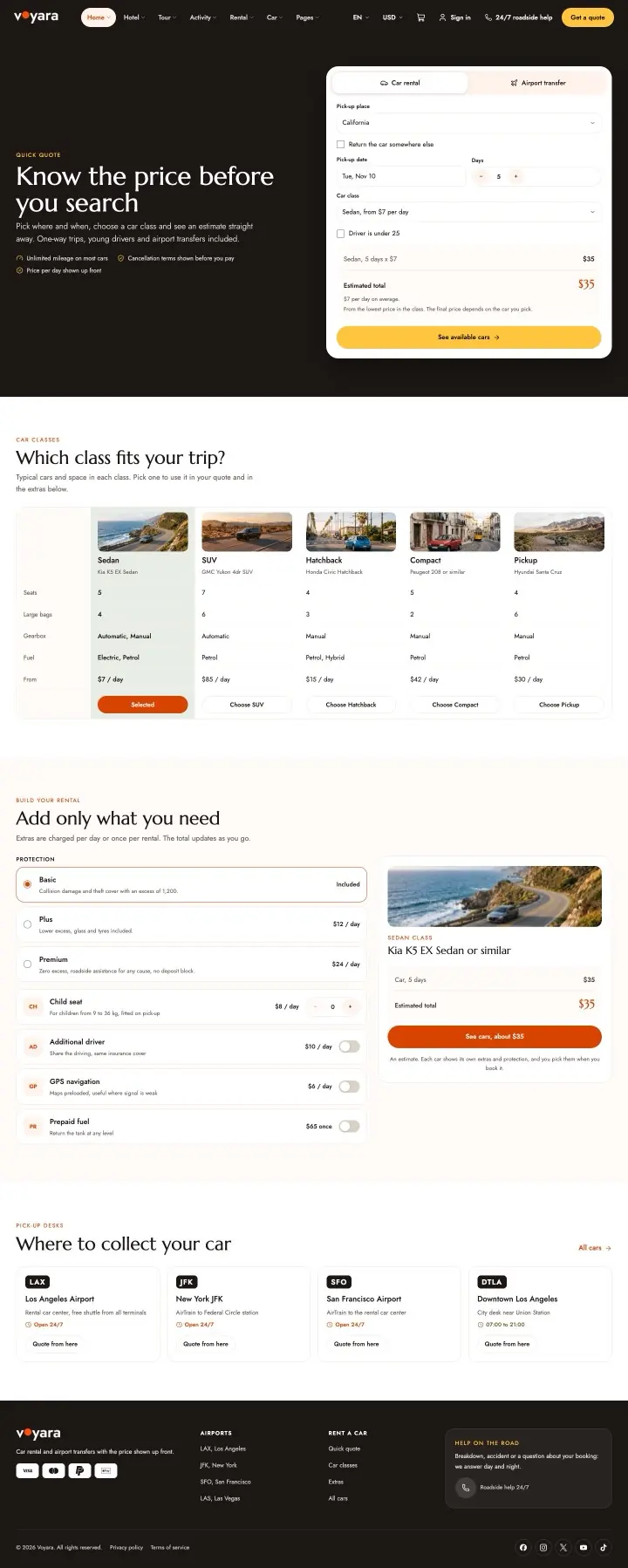 Car quick quoteHome 13The price before the search, car classes, optional extras and where to collect the car.Live preview
- 13homepages, one importMake it your ownElementorEvery homepage is an Elementor page. Copy a section from one demo into another and change the text and photos.How editing works
Every step from search to checkout
Search pages with a sidebar, a top bar, a half map or a popup map. Two detail layouts per module, a room page, cart, checkout, account pages and a partner sign-up page.
 Open page Hotel search, sidebar
 Open page Hotel detail
 Open page Tour detail
 Open page Activity search, top bar
 Open page Rental detail
 Open page Car detail
 Open page Blog post
 Open page Become a partner
All 33 inner pages
Every page below comes with the demo import.
Hotel
6 pagesTour and activity
7 pagesRental and car
7 pagesPages
13 pagesEdit every homepage, header and layout in Elementor
Every homepage, search page, listing layout, header and footer in the demo is an Elementor template. Drag in a Voyara widget, change the text and photos, and see the result as you work.
- Voyara widgets
- 114
- headers, footers and layouts
- 49
- Elementor Pro needed
- No
Voyara has its own Theme Builder and widgets, so the free Elementor plugin is all you need.

Built for running bookings, not only for showing them
Every screenshot below is from the Voyara demo: what guests see on the site, what partners see in their dashboard, and what you see in the Voyara Console.
A whole trip in one checkout
Guests pick a city and the trip builder lines up a stay, a tour, an activity and a car on dates that fit. They keep what they like, drop the rest and add the trip to the cart in one click.
- Hotel rooms, tour seats, activity slots and car rentals share one WooCommerce cart
- Trip bundle saving from 0 to 50 percent when a cart holds 2 to 5 booking types
- Each booking keeps its own dates, guests, extras and cancellation policy


Help guests find the cheapest nights
The price calendar shows the lowest nightly price per day across the hotels in a city, so guests with flexible dates see where to save. The compare table puts hotels side by side before they book.
- Low, average and high price days marked on the calendar
- Compare price, savings, rating, distance and amenities
- Deal prices with a countdown on cards and deal sections


Fixed dates and live seat counts
Small group tours list every departure with the seats left, the languages and a guaranteed departure badge. Guests filter by month and tour style and book a seat on the date they want.
- Seats left update as bookings come in
- A waitlist opens when a date is full
- Guaranteed departures run whatever the group size

Everything a traveller booked, in one place
Guests see their next trip, every booking with its ticket and invoice, their wishlist, reviews and messages. Gift cards and vouchers sit in a wallet that applies at checkout.
- Next trip card with the booking reference and status
- Wallet balance and voucher redemption
- Spending by month and recent activity

Let hotels, guides and car desks sell on your site
Partners apply from the Become a partner page. Once approved, they add listings, set prices on their calendar, answer booking requests and follow their payouts from their own dashboard.
- Revenue, bookings, occupancy and rating for the period
- A to-do list of booking requests waiting for an answer
- Next payout and your commission on each booking

Run the whole site from one admin
The Console puts the daily booking work in one app: revenue and today's check-ins on the dashboard, a listing editor with every field in tabs, and a calendar where you set prices and availability by date.
- Dashboard with revenue, bookings and occupancy
- Listing editor with pricing, rooms, gallery, policies and extras
- Calendar and prices, with iCal sync and range editing


Sell on Airbnb and Booking.com without double bookings
Each listing has its own calendar address. Paste it into Airbnb, Booking.com, Vrbo or Google Calendar and they see the days that are booked or blocked on your site. Add their iCal links to Voyara and their busy days are blocked here too.
- Synced calendars are read again every hour, or right away with Sync now
- A stay cancelled on the other site opens those dates again here
- A warning in the Console when a synced calendar overlaps a booking

Your headers, footers and brand without code
Build headers, footers and page layouts in Elementor and choose where each one shows. Set the colours, fonts and page width once in the settings and every page and widget follows.
- Sticky, transparent and mobile headers with display conditions
- Main, accent, label and overlay colours, with text colour picked for contrast
- Heading and body fonts, font size and container width


From a fresh WordPress to a booking site
The setup wizard walks you through five steps: install the plugins, choose the booking modules you need, import a demo, add your logo and colours, and set the map provider and currency.
- Voyara Core, WooCommerce and Elementor installed and turned on for you
- Turn off the modules you do not sell
- Maps with OpenStreetMap, Mapbox or Google Maps
